


Times Herald
3.565.00 Reviews
App Specs
- Version
- 8.10.3
- Updated On
- License
- Free
- Downloads
- 10,000+
- Developer
- USA TODAY Co.
- Categories
- News & Magazines
- Platform
- Android
Screenshots


 Analysis by AppCompare
I approached Times Herald as a local-news reader rather than as a general newspaper replacement. Its focus is clear: bring local and national reporting, strong photography, and video into one mobile reading experience. That makes it potentially useful when I want to understand what is happening nearby without giving up broader coverage, but it also means the app’s value depends heavily on whether its editorial mix matches my daily interests.
This is a free news and magazines app from USA TODAY Co., rated for Everyone 10+. It has been available since May 3, 2012, and the current version is 8.10.3 for devices running Android 8.0 or later. On the store, it has a 3.5 average from around 187 ratings, with 10K+ installs. Those figures suggest a modest audience and a mixed reception rather than a universally polished experience.
What the reading experience feels like
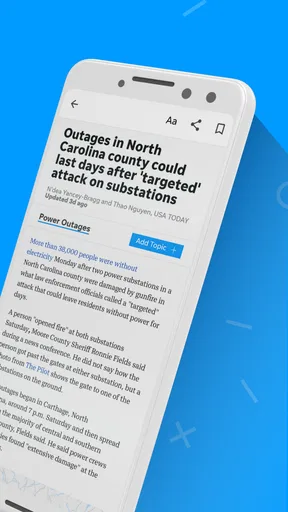
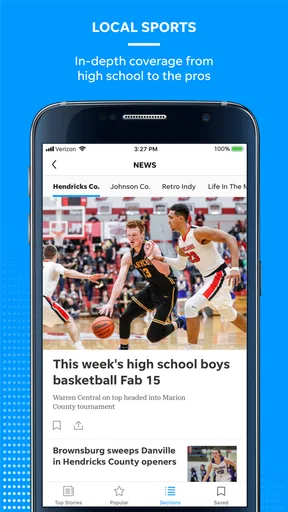
My first impression is that Times Herald is best understood as a focused local publication with national context, not as an endless feed designed to keep me scrolling. The combination of nearby reporting and wider stories gives the app a useful rhythm: I can check the local situation first, then move outward to national developments and visual coverage.
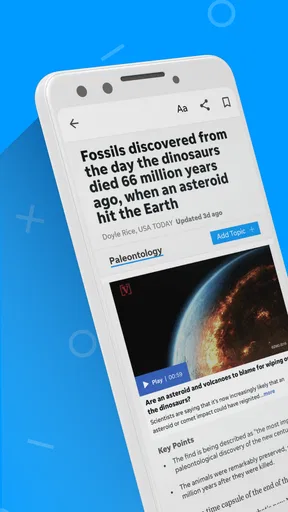
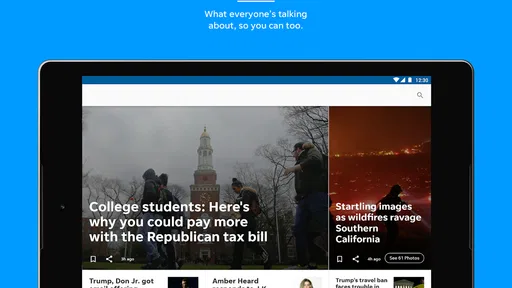
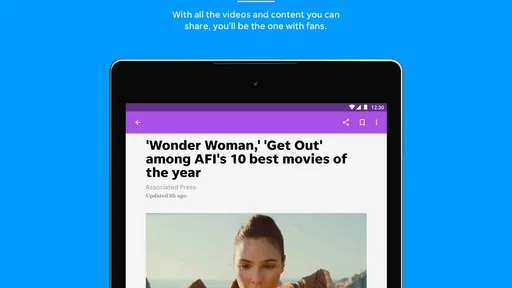
The photography matters more here than it does in many basic headline apps. A good image can quickly explain the scale of a storm, the atmosphere at a public event, or the people involved in a community story. Video can do the same when a written report would leave out movement, sound, or the feel of a location. I would not install this app solely for visual polish, but those elements make it more engaging than a plain list of headlines.
At the same time, visual content can make a news app feel busier. If I am checking headlines during a short break, large images and video areas may compete with the information I actually want. My practical approach is to use the app for stories where local detail matters, then switch to a simpler text-first source when I only need a rapid national news scan.
A realistic morning routine
Imagine a weekday morning when I have only a few minutes before leaving home. I would open Times Herald to look for local developments that could affect the day, such as community events or nearby public issues, then glance at the national section for the larger context. I would save the most relevant story mentally rather than trying to consume every item in one sitting.
That workflow works because local news often rewards attention more than speed. A short headline may not tell me why a story matters to residents, while an accompanying photograph or video can provide useful context immediately. The trade-off is that this is not the most efficient setup for someone who wants a highly personalized, multi-source briefing before work.
Worth Reading Before You Choose

EA SPORTS FC Mobile 26 Is a Bigger Football Game, but It Takes Time

Flipboard Shows What News Apps Must Do Beyond the Feed

Switching to Android Auto Means Rethinking Your Driving Routine

Google Calendar Makes a Crowded Week Easier to Manage

Ludo King Makes the Most of the Minutes Between Plans

Baby Panda World Brings Quick Play to Modern Phones, but Its Game Library Feels Busy
Where it differs from common alternatives
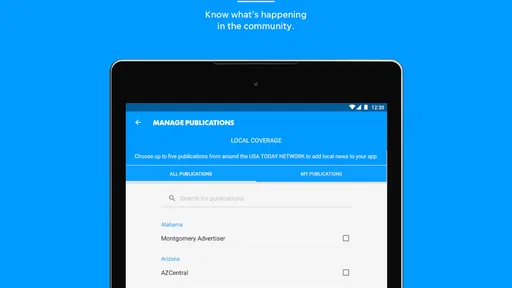
Compared with a broad news aggregator, Times Herald feels more editorially bounded. Aggregators are better when I want to compare several publishers covering the same event, discover international stories, or tune a feed around many unrelated interests. The Times Herald approach is more suitable when local coverage is the reason I opened the app in the first place.
Compared with a national newspaper app, its local identity is the main reason to choose it. A major national publication may offer deeper investigative reporting, more extensive opinion sections, or a wider international desk. Times Herald can be the better companion when the question is, “What is happening around me?” rather than, “What is the complete global news picture?”
Compared with a social-media news feed, the app should offer a more deliberate reading environment. Social feeds are convenient for discovering breaking topics, but they also mix reporting with commentary, reposts, and attention-driven reactions. I prefer a dedicated publication when I want to read a story without sorting through a constantly changing stream of unrelated posts.
Trust, controls, and everyday choices
I use this section to think through the small decisions that shape a comfortable news routine: what I choose to read, which prompts deserve my attention, and how I keep the app from becoming another source of interruptions. My practical rule is to make each choice in response to a real need, not simply because a screen asks me to continue. That approach matters even more when I move from occasional reading to a repeatable daily habit.
What I can responsibly judge about trust
Trust in a news app has two sides. One is the quality and clarity of its journalism; the other is the way the app handles my attention, account choices, and personal information. I can assess the first through the reporting itself, while the second requires careful attention to the controls and disclosures visible on the device and in the store environment.
I would not treat the developer name alone as proof that every experience will suit me. USA TODAY Co. gives the product an identifiable publisher behind it, but a recognizable publisher does not remove the need to read stories critically. I still look for clear sourcing, dates, distinctions between reporting and opinion, and enough local detail to understand how a headline was produced.
The app’s 3.5 average is a useful warning to keep expectations measured. It is not a reason to dismiss the publication, but it does tell me to pay attention to practical friction such as navigation, loading, notifications, and any account or subscription prompts I encounter. A news app can have worthwhile journalism and still be inconvenient in daily use.
Permissions and data-sensitive moments
Before installing or updating Times Herald, I would review the permissions shown by my operating system and the privacy information presented in the store or inside the app. I would not grant access automatically. A news reader should earn access to anything beyond what is necessary for reading, and I prefer to make that decision deliberately rather than accepting every prompt on the first launch.
Notifications deserve particular attention. Breaking-news alerts can be useful during a major local event, but too many alerts turn a helpful publication into a source of interruption. I would begin with notifications disabled or limited, then enable only the categories that genuinely help me. This is one of the simplest ways to keep the app working for me instead of allowing it to dictate my attention.
Account creation and payment screens are another point where I slow down. The app is free to download, while in-app purchases range from $9.99 to $69.99 per item. That does not by itself explain which features require payment or how often a charge might occur, so I would read each purchase screen carefully, check the billing account, and avoid confirming anything until I understand whether it is a one-time item or part of a continuing arrangement.
For the same reason, I would not enter payment details merely to explore the basic reading experience. I would first decide whether the local coverage is valuable enough to justify any optional purchase. If a prompt appears while I am trying to open an article, I would read the wording rather than treating it as a routine step.
How much control the reader has
User agency is not only about privacy settings. It also includes the ability to choose when to read, what to follow, and whether the app’s presentation helps or distracts. I would look for notification controls, account settings, purchase management, and any visible options for adjusting the reading experience. If those choices are easy to find, I feel more comfortable making the app part of my routine.
I also recommend separating reading habits from notification habits. Someone may enjoy checking local stories twice a day without wanting alerts throughout the afternoon. Turning off unnecessary alerts does not reduce the value of the reporting; it simply puts the schedule back in the reader’s hands.
When privacy choices appear, I would select the least intrusive option that still supports the features I actually want. I avoid assuming that a permission or tracking prompt is harmless just because the app is free. Free access and personal control are separate questions, and I consider both before settling into regular use.
Practical strengths that are easy to overlook
One useful strength is the way local and national coverage can support different reading depths in the same session. I can use a local story to understand a nearby issue, then use national coverage to see whether it connects to a wider trend. That makes the app more valuable for residents who want context, not just isolated headlines.
A second strength is the role of photography and video as verification aids for the reader’s understanding. They do not replace careful reporting, but they can help me judge whether I have understood the setting, people, and scale of an event. I pay special attention to whether the visual material adds information or merely decorates the page.
A third insight is that the app may work better as a scheduled check-in than as a permanent background feed. I get more from it when I open it with a question—what changed locally, which story needs more context, or whether a developing event has new visual coverage—rather than scrolling without a purpose. This also reduces the pressure to respond to every alert or headline.
A fourth trade-off concerns the app’s narrow identity. If local news is central to my routine, that focus can feel efficient. If I want financial markets, international reporting, specialist technology coverage, or a broad range of independent sources, I would pair it with another publication or choose an aggregator instead. No single local app should be expected to replace an entire news diet.
Who should use it, and who should skip it?
I would recommend Times Herald to readers who care about local reporting and appreciate stories supported by photography or video. It is also a reasonable option for someone who wants national news nearby without opening several separate publications. The free entry point makes it easy to test the editorial fit before considering any optional purchase.
I would be more cautious if I mainly want a fast, neutral headline digest assembled from many publishers. An aggregator is usually better for comparison and breadth. I would also look elsewhere if I need advanced customization, a strongly text-focused interface, or a publication centered on international coverage. Those are not failures of Times Herald; they are signs that its local-news purpose may not match my needs.
Parents and younger readers should also keep the Everyone 10+ rating in mind. That rating makes the app broadly accessible, but news can still include upsetting subjects, intense images, or difficult real-world events. I would not assume that an age rating removes the need for personal judgment about which stories are appropriate.
My cautious verdict
Times Herald is most convincing when I treat it as a local reporting companion with national reach, not as a complete replacement for every other news source. Its photography and video give certain stories more immediate context, while the local emphasis can make the app more relevant than a generic headline feed for nearby residents.
My main reservation is not the concept but the need to manage the surrounding experience carefully. I would review permissions, limit notifications, inspect account and purchase screens, and judge the app by the clarity and usefulness of the journalism I actually read. The mixed 3.5 average reinforces that measured approach: I would test it personally rather than assuming it will feel polished on every device.
For me, the decision comes down to one question: do I regularly want local news from this publication’s perspective? If the answer is yes, the app is worth trying because its combination of nearby reporting, national context, photography, and video serves a specific purpose. If the answer is no, a broader news reader will probably offer better value. The best reason to install Times Herald is focused local awareness, while the best reason to skip it is a need for wider choice and deeper control than a single publication may provide.
Pros
- Clear local coverage of community events and regional news.
- Articles are easy to scan with concise headlines and summaries.
- Useful source for updates that may not appear in national media.
- Digital access makes the publication convenient while traveling.
- Regular reporting helps readers stay connected with local issues.
Cons
- Some stories may be limited by the publication’s local geographic focus.
- Certain articles or features may require a subscription to access.
- Breaking-news coverage can vary depending on newsroom resources.
- The app may feel less useful to readers outside the covered region.
- Advertising and promotional content may occasionally interrupt reading.
FAQs for Times Herald
What is Times Herald, and what can I use the app for?
Times Herald is a news-focused application designed to help readers access articles, local reporting, breaking news, opinion pieces, and other updates in one place. After installing it, users can browse stories by category, open full articles, and keep up with developments without relying only on a web browser. The exact sections and coverage may vary depending on the edition or region available.
Is Times Herald free to download and use?
The Times Herald app may be free to download, but access to all of its content can depend on the publisher’s subscription policy. Some articles may be available without an account, while premium stories, archives, or unlimited reading could require registration or a paid digital subscription. Before downloading, check the current listing and in-app terms for pricing, trial periods, and renewal conditions.
Does Times Herald require an internet connection?
An internet connection is generally needed for Times Herald to load the latest articles, images, notifications, and updates. Reading may be limited when you are offline, although some versions of the app may temporarily retain recently opened content. If you plan to use it while traveling, open important stories beforehand and verify whether the current version offers any offline-reading or saved-article features.
Can I receive breaking-news notifications from Times Herald?
Times Herald may offer push notifications for breaking news, important local developments, featured stories, or publication updates. Notifications are normally controlled through the app and your device settings, so you can decide whether to receive all alerts or only the most relevant ones. Keep in mind that notification availability and frequency can differ by region, edition, operating system, and publisher configuration.
What permissions and account information does Times Herald request?
During setup, Times Herald may request permissions related to notifications, internet access, and possibly device storage or media features if the app supports saved content or sharing. An account may also be needed for subscriptions, personalized settings, or access to restricted articles. Review the app’s privacy policy and permission prompts carefully, and grant only the access you consider necessary for your intended use.


